ComplyNestly Launches a Simpler Way for Small Businesses to Track Employee Credentials and Renewals
A single, organized system for employee licenses, certifications, and renewals — replacing the spreadsheet-and-email routine most small businesses have been stuck with.
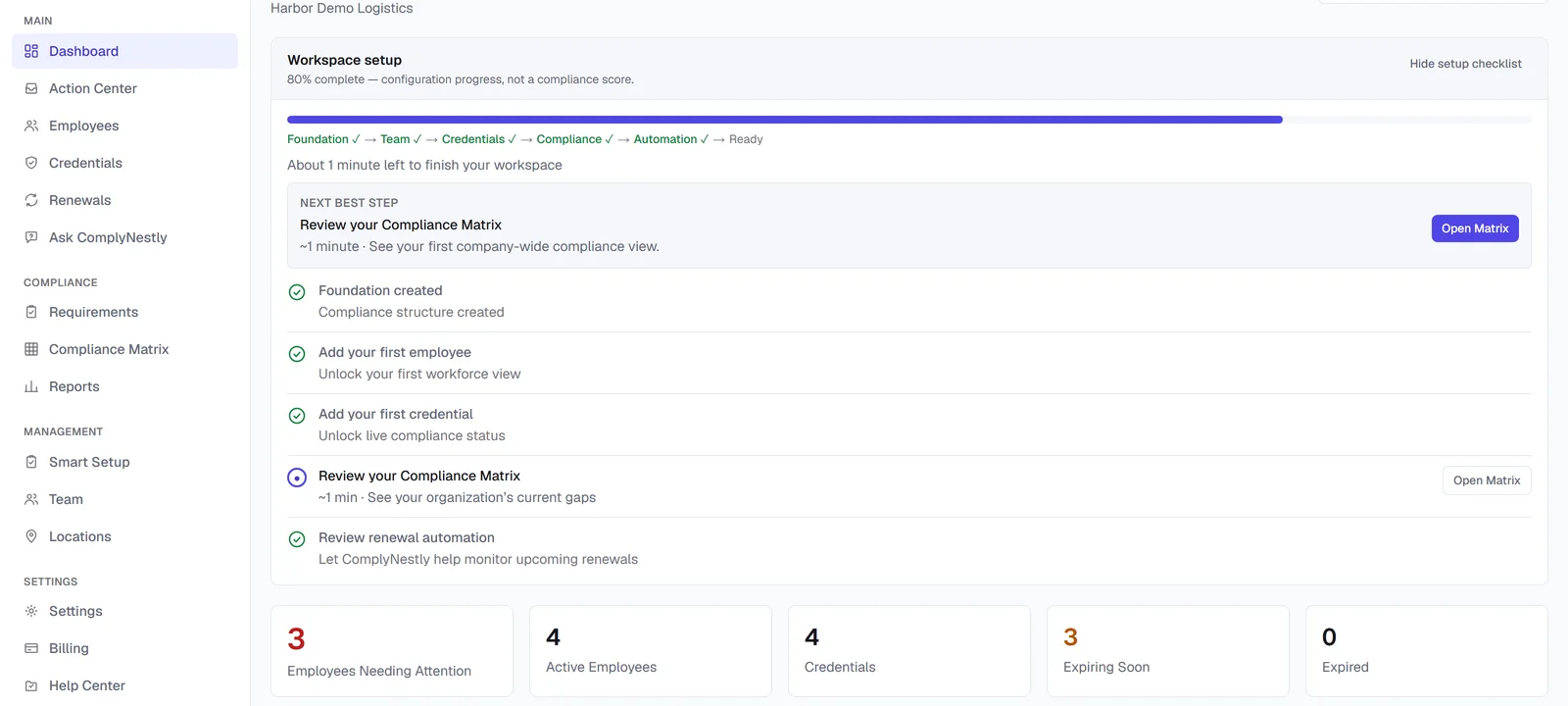
The ComplyNestly dashboard gives owners and managers one place to see credential status across the company.
What's new
- One record per employee for every credential they hold, with automatic current / expiring / expired status
- Role-based requirements so ComplyNestly can tell you who's missing something, not just what's on file
- A Free plan for up to 5 employees and 1 location, with paid plans adding automation, AI features, and reporting
- Built for operations, HR, and safety teams at small and growing businesses — not enterprise GRC software
ComplyNestly is launching today: a system for tracking employee licenses, certifications, and other credentials, built specifically for small and growing businesses that have outgrown a spreadsheet but don't need enterprise compliance software.
Most businesses that require employees to hold a credential — a forklift license, an OSHA card, a state certification, a food handler permit — end up managing that requirement the same way: a spreadsheet somewhere, a folder of scanned certificates, and a manager who mostly remembers who's current. That works until it doesn't. A credential lapses without anyone noticing, an inspector or customer asks who's currently qualified and the honest answer is "let us check," or a new manager inherits a spreadsheet nobody has updated in months.
ComplyNestly replaces that patchwork with one place to record what each employee holds, when it expires, and what's required for their role — then keeps that picture current automatically as credentials approach expiration, instead of relying on someone to remember to check.
Why credential tracking becomes a problem as a team grows
A five-person crew can track certifications informally — the owner probably knows off the top of their head who has a current forklift license. That stops working once a company has multiple crews, multiple locations, or managers who each handle their own hiring and don't share records with each other.
The usual failure pattern looks the same across industries: a spreadsheet gets started with good intentions, a few people update it consistently, and then it drifts. Someone renews a certification and forgets to update the row. A new hire's credentials get added to a different manager's copy of the file. Nobody owns keeping it accurate, so accuracy erodes quietly until the day it actually matters — a client audit, an inspection, or a credential that lapses mid-job.
The underlying problem isn't that any one person is careless. It's that tracking expiration dates across dozens or hundreds of employee records, by hand, doesn't scale — even for a genuinely well-run business.
What ComplyNestly actually tracks
At its core, ComplyNestly holds one record per employee listing every credential they currently have on file: the credential type, who issued it, when it was issued, and when it expires. Credential types — "OSHA 10," "Forklift Operator License," "Food Handler Card" — are defined once for the company and reused for every employee, so the list of what you track doesn't get re-typed slightly differently each time someone adds a record.
Every credential is automatically classified as current, expiring soon, or expired, computed fresh every time you look rather than stored as a label that can go stale. That status feeds the dashboard, the employee list, and — on paid plans — the Compliance Matrix and Action Center, so the whole product agrees on what "expiring" means without you maintaining that logic yourself.
On top of tracking, ComplyNestly adds:
- Role-based requirements, so the app can tell you who's missing a credential their role requires — not just list what's on file
- Multi-location support, with employees and credentials scoped to the location they belong to
- A renewal workflow for recording each credential's next cycle
- Reminder notifications as a credential approaches expiration (paid plans)
- Renewal Autopilot, which turns a missing, expiring, or expired required credential into an actual renewal task instead of just a warning (paid plans)
A realistic scenario
Picture a 35-person electrical contracting company with two crews and one office location. Journeyman electricians need a state license and an OSHA 10 card; anyone operating a lift needs a separate certification. Before ComplyNestly, that meant a shared spreadsheet the office manager updated when she remembered, plus a filing cabinet of paper certificates.
With ComplyNestly, each employee's role determines what they're required to hold. The dashboard shows, at a glance, that two electricians have OSHA cards expiring in the next 30 days and one lift certification already lapsed last week. On a paid plan, Renewal Autopilot has already opened renewal tasks for those three, and one employee has an emailed portal link to submit their updated certificate directly — no one had to notice the gap manually.
That's the shift: from a system that only works if someone remembers to check it, to one that surfaces what needs attention on its own.
What's included, and what isn't
ComplyNestly is built to help a business organize, track, and stay ahead of its own credential requirements. It is not legal or compliance advice, it doesn't determine what credentials a given role legally requires in a given jurisdiction, and it doesn't guarantee that a business will pass an inspection or audit. Those determinations still belong to the business and, where relevant, to a qualified professional.
What ComplyNestly does do is remove the manual burden of tracking what's already been determined to be required — so that work gets done consistently instead of depending on memory.
What's next
This is the first in a series of Newsroom stories walking through specific parts of ComplyNestly in more depth — starting with how Renewal Autopilot turns an expiring credential into finished renewal work, and how the Compliance Matrix gives managers a live, role-based view instead of a spreadsheet they maintain by hand.
Frequently asked questions
Does ComplyNestly replace a manager's judgment about compliance?
No. ComplyNestly helps organize and track credential records and surfaces what's missing, expiring, or expired based on requirements the business defines. Decisions about what's actually required, and whether the business meets a given legal or contractual obligation, remain with the business.
Is there a free way to try it?
Yes. The Free plan supports up to 5 employees and 1 location with no credit card required, covering core credential tracking and role requirements.
What size of business is this built for?
ComplyNestly is built for small and growing businesses — typically somewhere between a handful of employees and a few hundred, across one or several locations — rather than large enterprises needing a full GRC platform.
Does ComplyNestly work for multiple locations?
Yes. Employees and credentials are scoped to a location, owners and admins can see every location at once, and managers can be scoped to just the locations they're responsible for. The Free plan supports 1 location; paid plans support more.
Keep exploring
Start tracking credentials the organized way
Set up your first employees and requirements on the Free plan — no credit card required.