How to Run an Annual Credential Audit
Use this annual credential audit checklist to review employee records, role requirements, expiration dates, and follow-up actions.
An annual credential audit is a structured internal review of the employee credential records your organization maintains. It can expose stale role assignments, missing evidence, inconsistent dates, and requirements that need rechecking. It does not replace an inspection, legal review, or any audit defined by a regulator, customer, or contract.
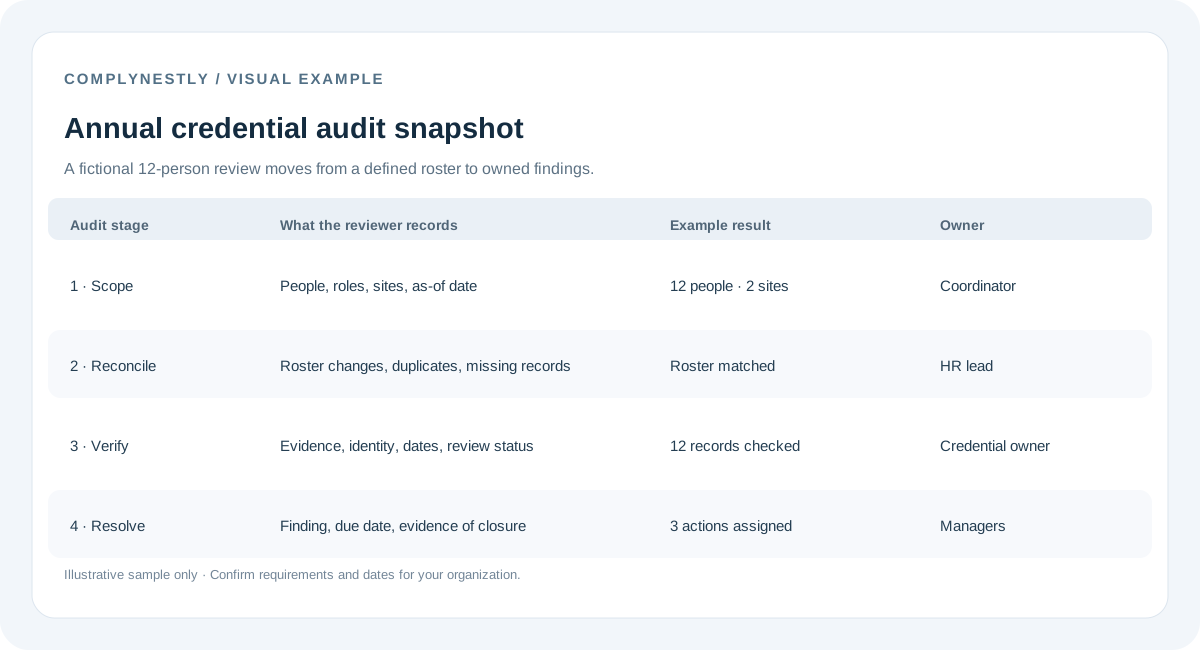
1. Set the scope and owner
Name a coordinator and define which employees, locations, roles, and credential types are in scope. Decide whether you will examine every record or a documented sample; do not present a sample as a full review. Set an as-of date and use the same status definitions managers use day to day.
2. Reconcile the employee and role list
Compare the roster with the source used for active employment and assignments. Look for former employees still listed, new hires without records, duplicates, and people whose role or location changed. Confirm role requirements with the appropriate owner before calling an item missing.
3. Check records and evidence
For each record in scope, confirm the employee and credential type are identifiable, dates are recorded when applicable, and supporting evidence is readable and matches the record. Mark unclear submissions for review instead of silently treating them as current.
- Employee identity and current role or assignment
- Credential name and issuing organization
- Issue and expiration dates, or documented no-expiration status
- Evidence location and whether it is readable
- Review status and last-checked date
4. Find gaps and prioritize follow-up
Separate expired credentials, missing records, expiring items, pending submissions, and data-quality issues. Assign an owner and due date. Prioritize using the operational context, such as upcoming work, time to renew, and time needed to verify evidence. A high team percentage is not a reason to ignore one important record.
5. Recheck requirement definitions
Review role templates and location-, customer-, or assignment-specific requirements. Note who confirmed each definition and when. If a requirement is unclear, record the question for the responsible authority or customer instead of making a legal assumption.
6. Record findings and close the loop
Keep the scope, as-of date, records reviewed, findings, decisions, owners, and correction status together. When a record is fixed, note what changed and when, following your retention policy. A useful summary states exactly what was reviewed and what remains open.
Annual credential audit checklist
Before closing the review, confirm:
- Roster, roles, locations, and review date are recorded
- Credential requirements were confirmed with an appropriate owner
- Evidence and dates were checked for the records in scope
- Expired, missing, expiring, pending, and unclear items are separated
- Every finding has an owner, next action, and due date
- Corrections and unresolved questions are documented
How this differs from a quarterly review
A quarterly review can focus on new hires, role changes, upcoming renewals, and open actions. An annual review is a useful point for a broader pass and for checking whether the process still works. Use consistent definitions so the two reviews can be compared.